
613-231-6308
 Website Design Ottawa + SEO
Toggle Menu
Website Design Ottawa + SEO
Joomla is considered as one of the best open source content management systems (CMS). A Joomla developer can create a complex portal using Joomla and a cluster of ready-to-use third-party components within a matter of days. You can hire Joomla Bliss and our experienced Joomla programmers to meet your web development needs. Review our client testimonials as well as some of our portfolio items to gain a better understanding of our value proposition and web design experience.
Joomla Bliss receives a lot of request from various organizations and small businesses to convert their old websites developed using HTML or PHP into Joomla. We think it is a very good and wise decision to migrate your site to such a web friendly CMS as Joomla. Though we develop websites using various CMS, most of our clients are happy with Joomla, especially the Joomla admin panel, which is so easy to work with that it makes content management a bliss.
Joomla is the most popular and widely used CMS in the world. If you would like to learn why, review this Joomla versus Drupal discussion and read our article on CMS comparison.
There is nothing wrong with having a plain HTML or PHP site without any web content management system if your web presence is small and you don't need to add and manage a lot of content. Your website will be very fast, as the main advantage. However, if you need to manage content, conduct SEO or online lead generation campaigns, sell products or services, having a plain HTML site will require more time and efforts to manage. If you are using a web design agency to update your HTML site, your monthly fees will run very high. You will need to ask for assistance of your web designer for every small change or addition to your site.
Consider the following advantages of migrating to Joomla:
These are just a few obvious advantages of migrating to Joomla. For more information check out this why go with Joomla design article.

How long should the User Session be? Ideally, not too short that you get logged out just answering the door bell, but not too long so that you can leave the computer logged in and be accessed by someone else. The value is set in Global Config > System > Session Lifetime. Note that the unit for this field is measured in minutes, not in the usual seconds. 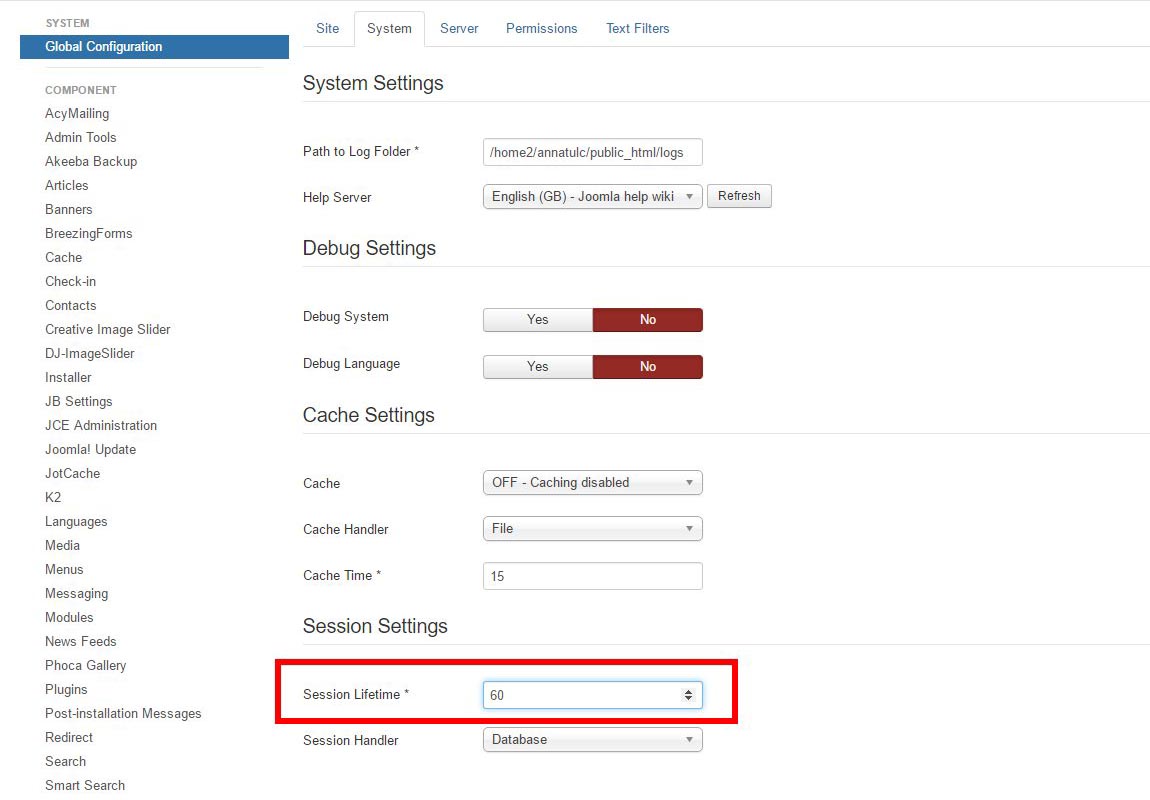
You can stop Joomla from sending new users his/her welcome email by disabling the parameter "Notification Mail to User" in the Extensions > Plugins > User - Joomla plugin.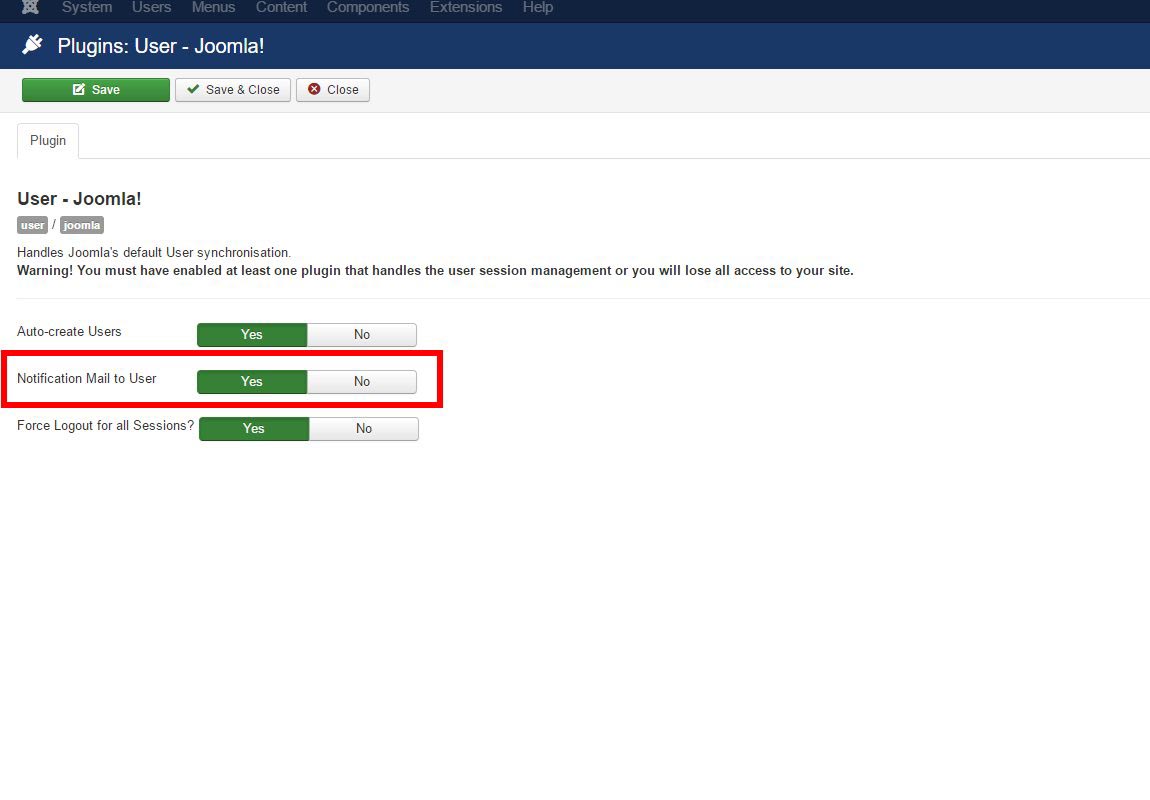
There is, unfortunately, no way to disable Joomla’s welcome email or activation email if the user is registering on their own. The behavior is currently hard-coded in Joomla’s core files. Core modifications are not recommended (as new Joomla updates, which are released quite frequently these days, will overwrite all your coding), but if you must absolutely do it, you could comment out the following line in /components/com_users/models/registration.php. As of Joomla version 3.5.1, the line number is 538.
// Send the registration email.
$return = JFactory::getMailer()->sendMail($data['mailfrom'], $data['fromname'], $data['email'], $emailSubject, $emailBody);
Commenting out the secnd line would disable all Joomla Welcome Emails.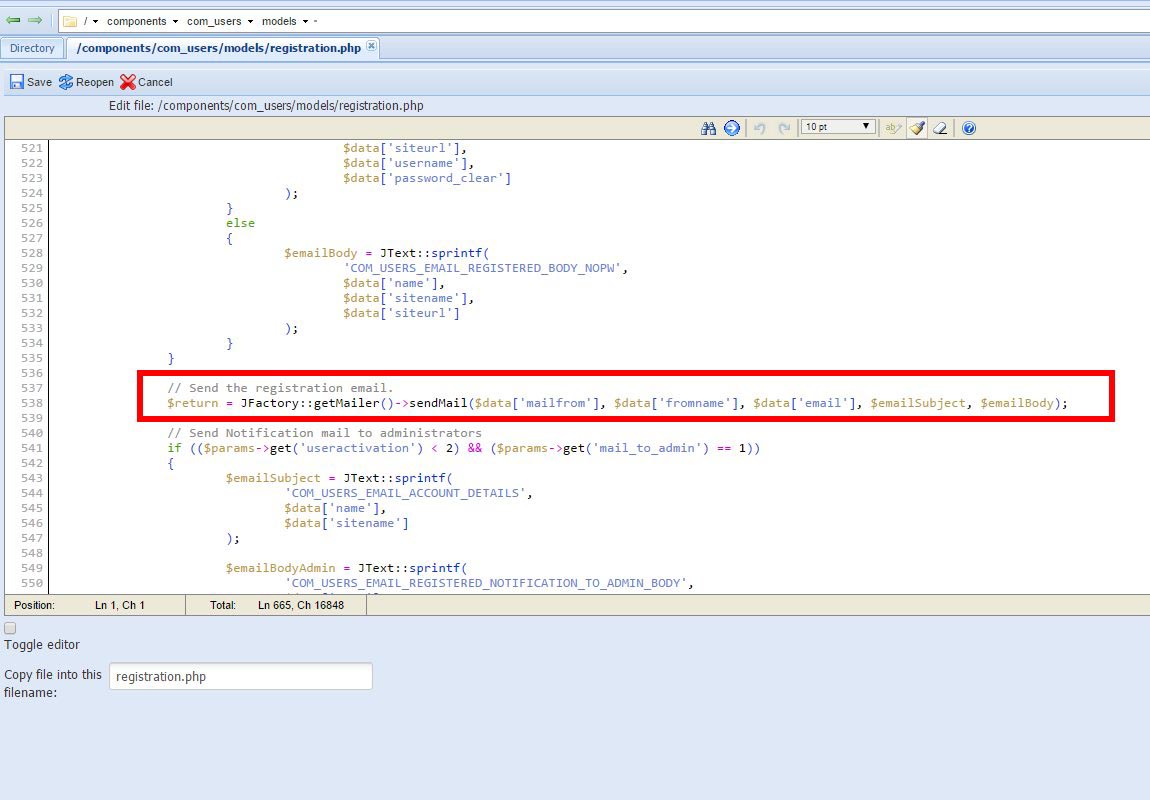
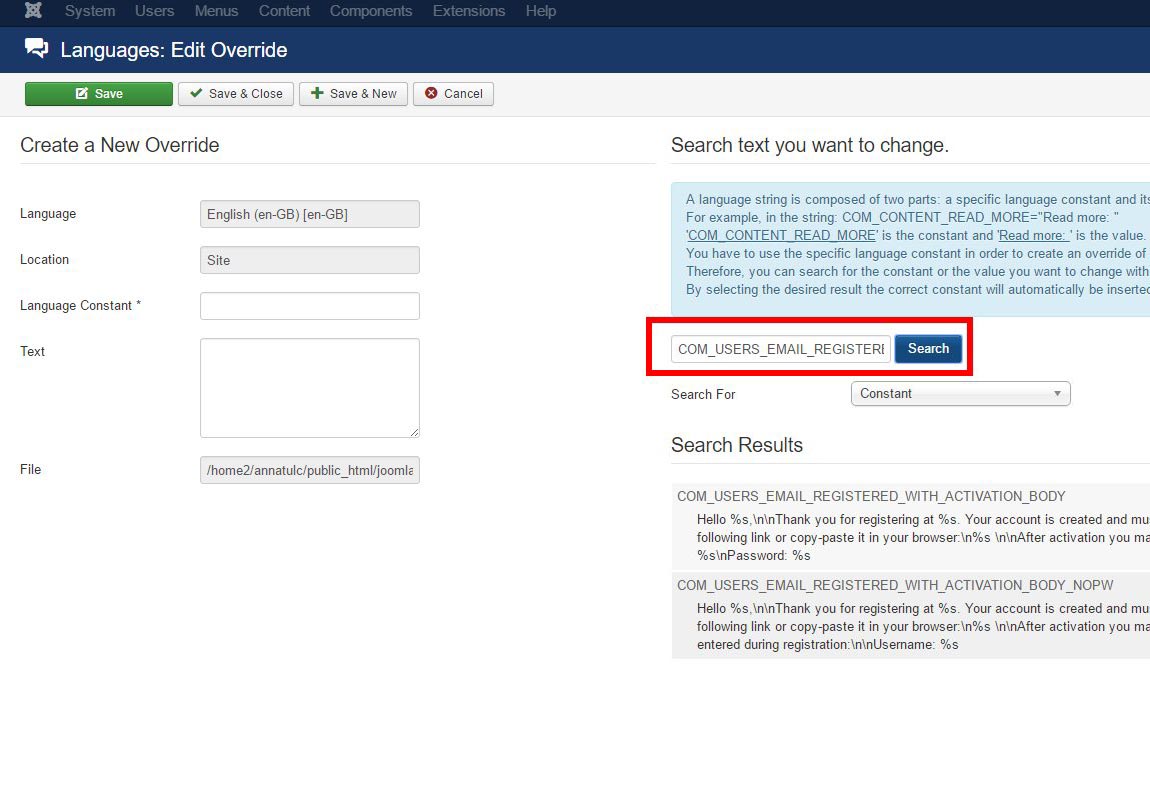
If you are a Joomla site admin and just want to override some of the email text in your installation, the procedure is much simpler.
This is actually not Joomla's fault. It sets the Sender email as the Joomla site (which is technically true, because your website received the contact email and send the email to you on the user's behalf), and then the 'Reply-to' email as the user's email. This should cause no problems - email clients should recognize the 'Reply-to' email and use that. But Gmail has a special condition - if the 'Sender email' has the same domain name as your own email, clicking 'reply' will reply to the 'Sender email' instead of the standard 'Reply-to' email.
While not recommended (we can't stress this enough!), you can try to modify the core file /components/com_contact/controllers/contact.php , if you must make the reply button in Gmail to work. As of Joomla version 3.5.1, change line 204
$mail->setSender(array($mailfrom, $fromname));
Change $mailfrom to $email, and $fromname to $name. The email submission should now show the user's name and emails in replies for Gmail. 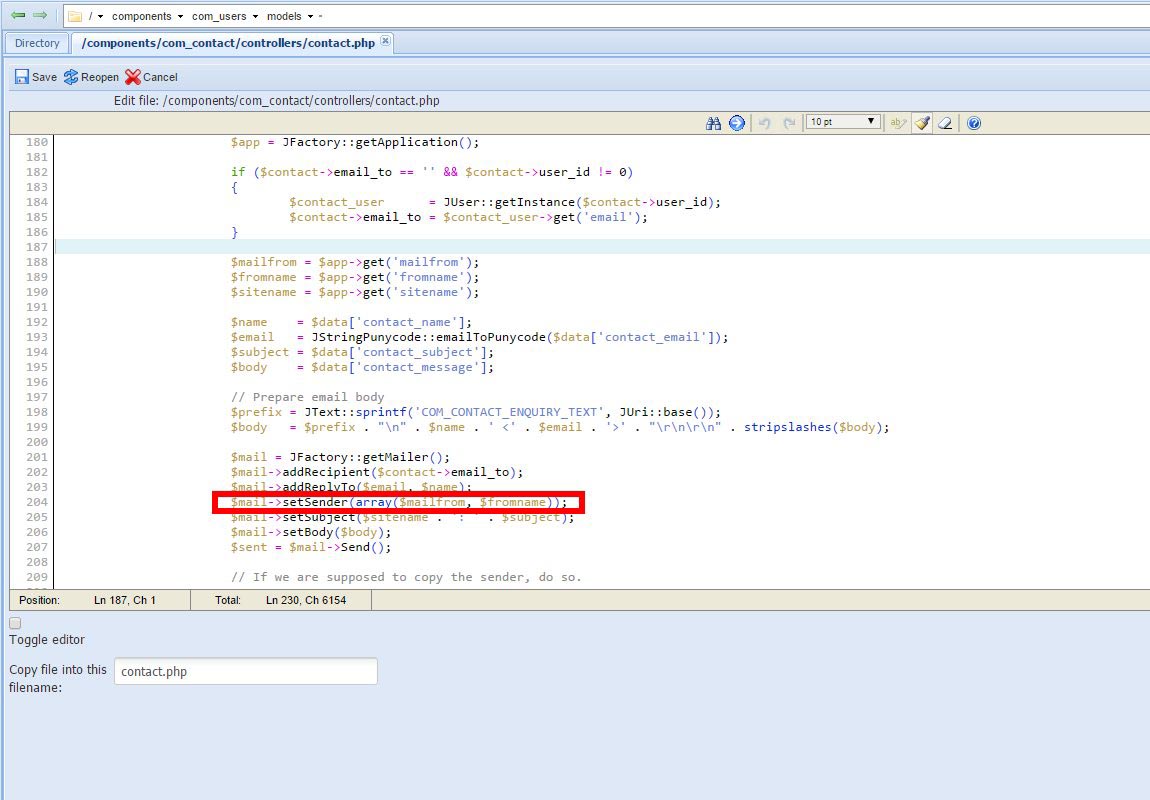
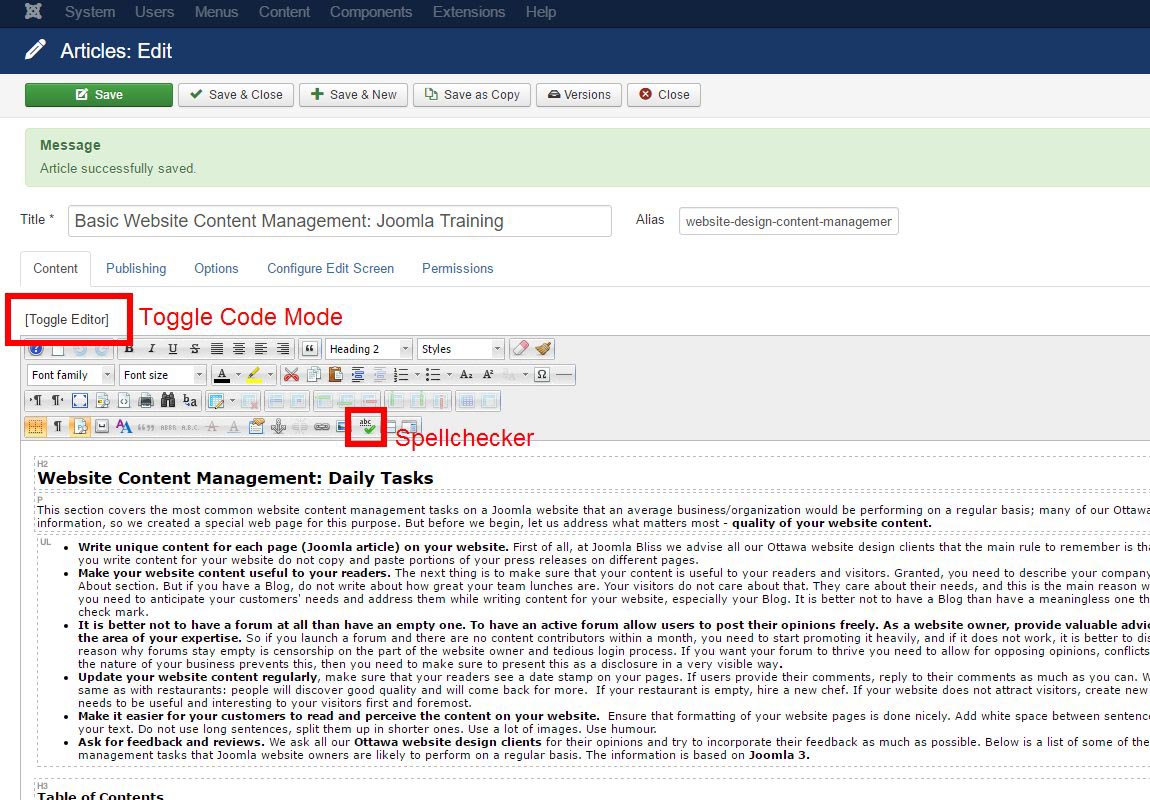
This section covers the most common website content management tasks on a Joomla website that an average business/organization would be performing on a regular basis; many of our Ottawa web design clients request this information, so we created a special web page for this purpose. But before we begin, let us address what matters most - quality of your website content.
To view your web design's layouts and module positions, you can go to Extensions > Templates > Options > Templates tab and switch 'preview module positions' to 'Enabled'. Save the setting. If you have implemented caching on your website, clear your cache. (If you don't have any additional caching plugins installed, the standard one is in System > Clear Cache) Now, if you type ?tp=1 on any frontend page of your website (e.g. abc.com/?tp=1), you would be able to see all the module positions your website template is using: 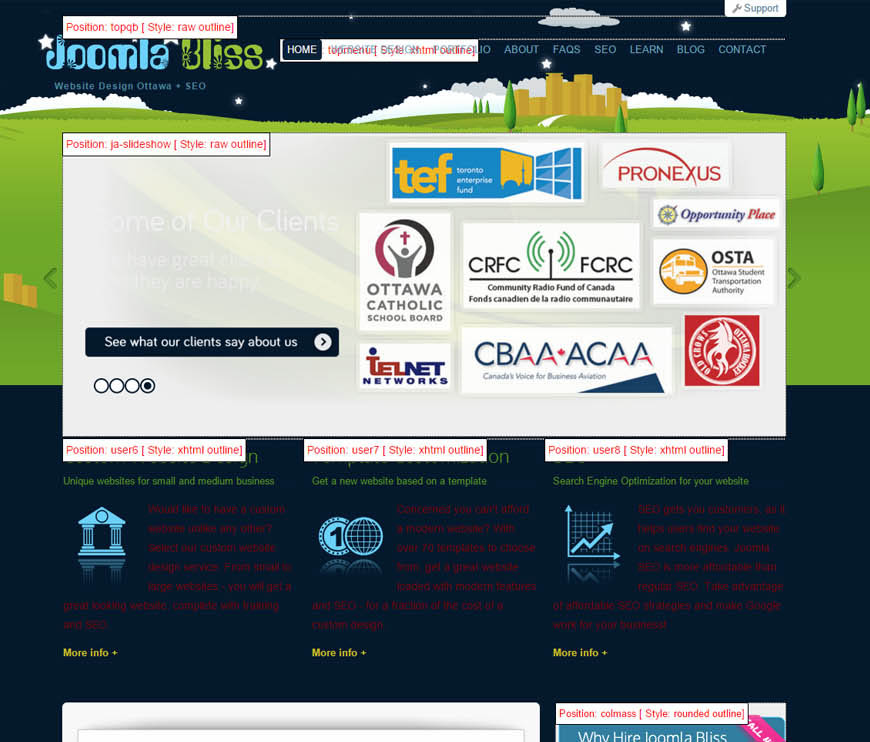
Note that Joomla uses "Article" instead of a "Page" to define a content element on your website. The most common items that you would need to locate inside your website are identified below:
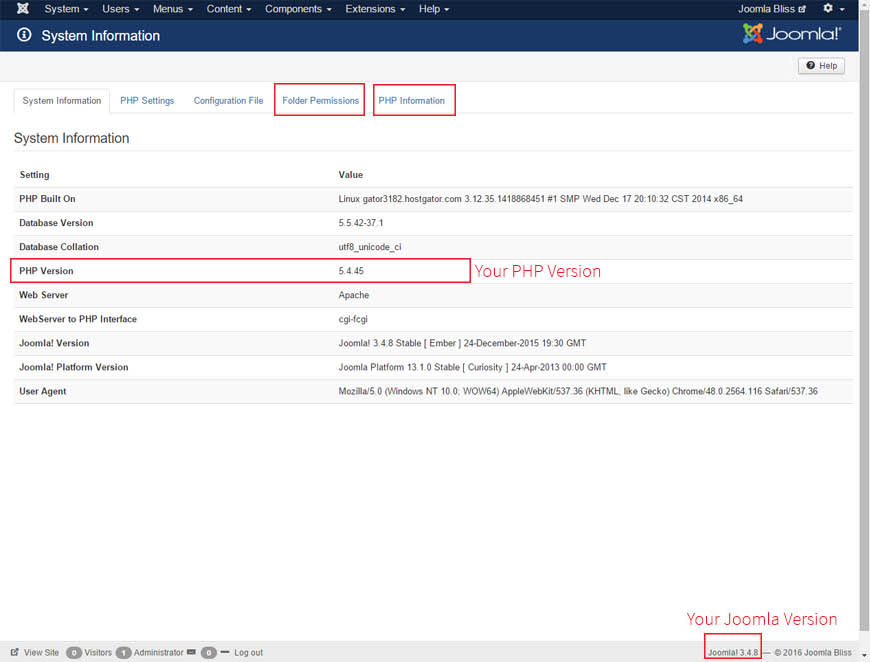
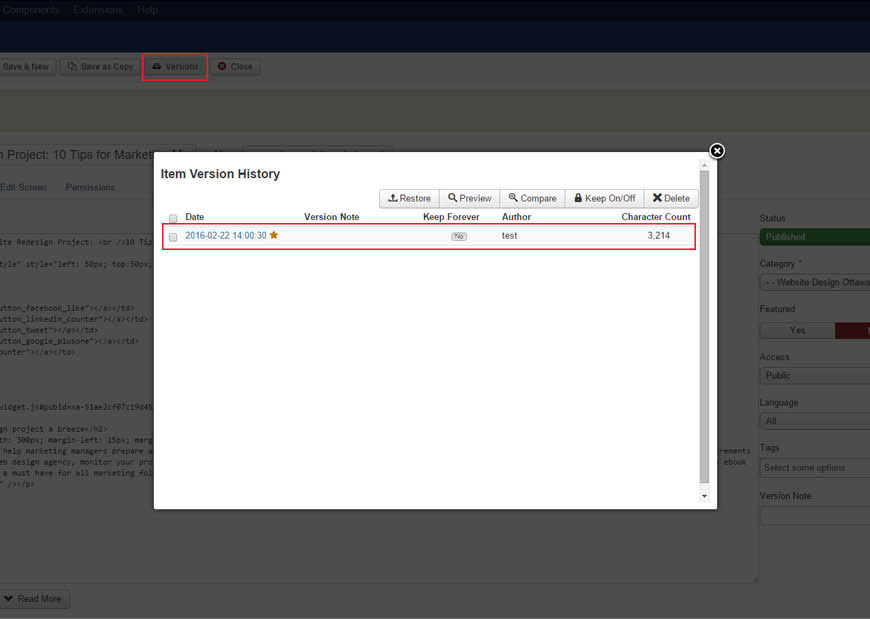
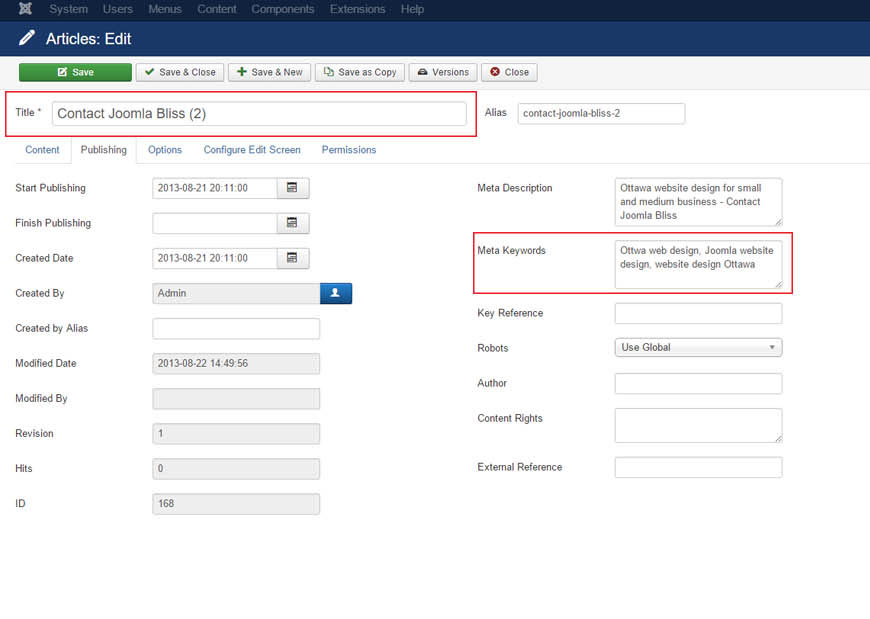
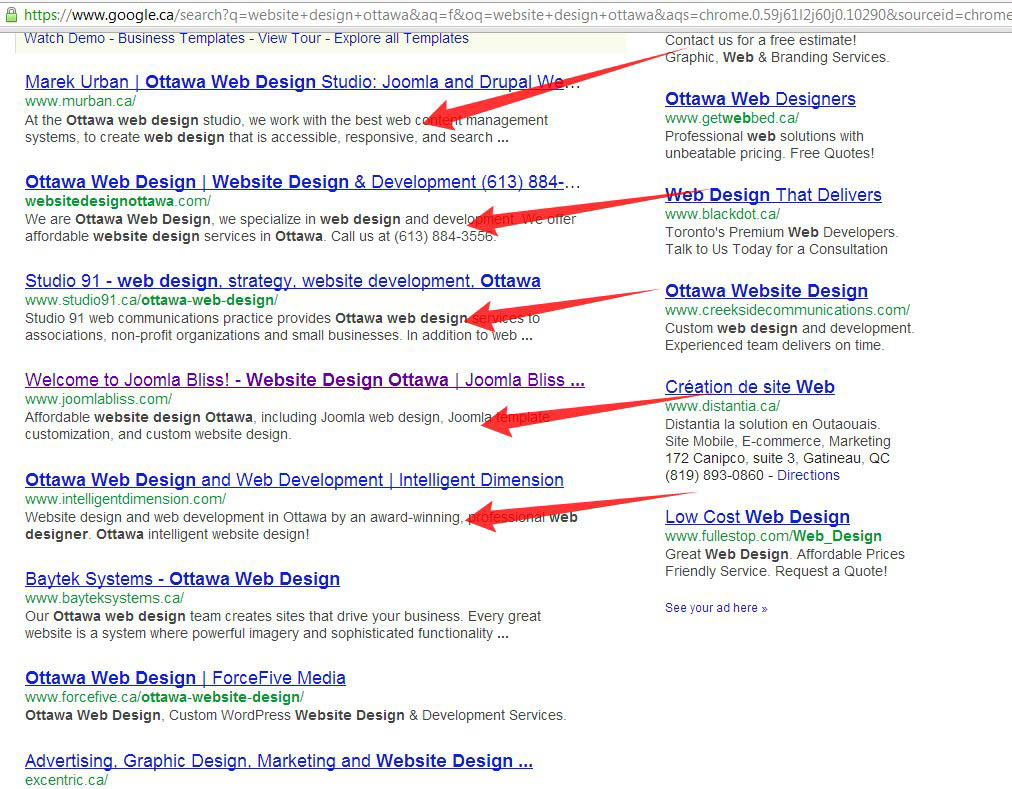

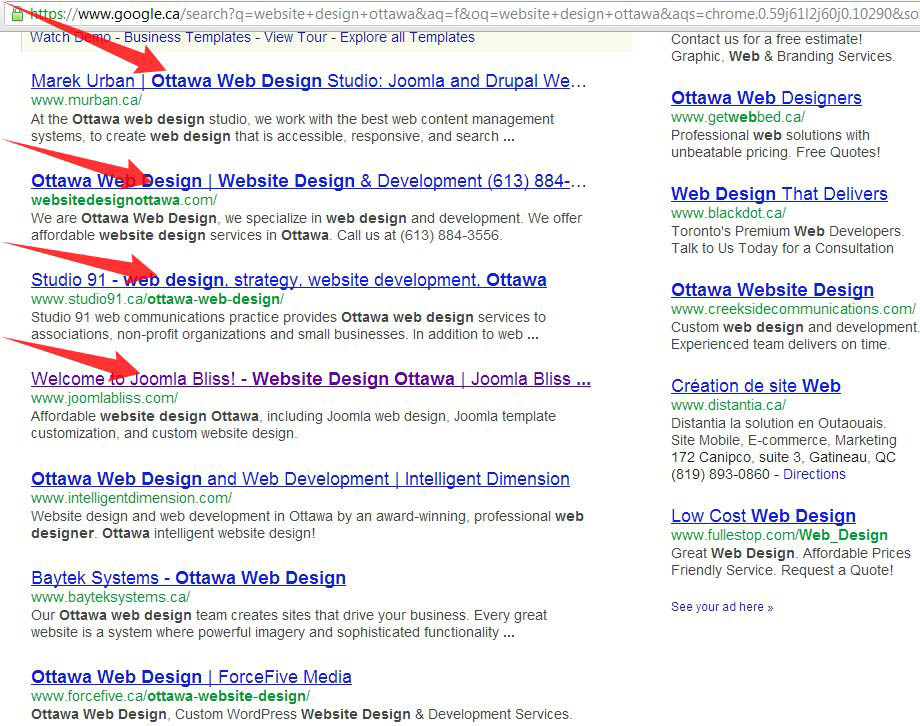
One of the beauties of a CMS is that you can reuse its individual elements on various page designs and sections of your website with remarkable ease.
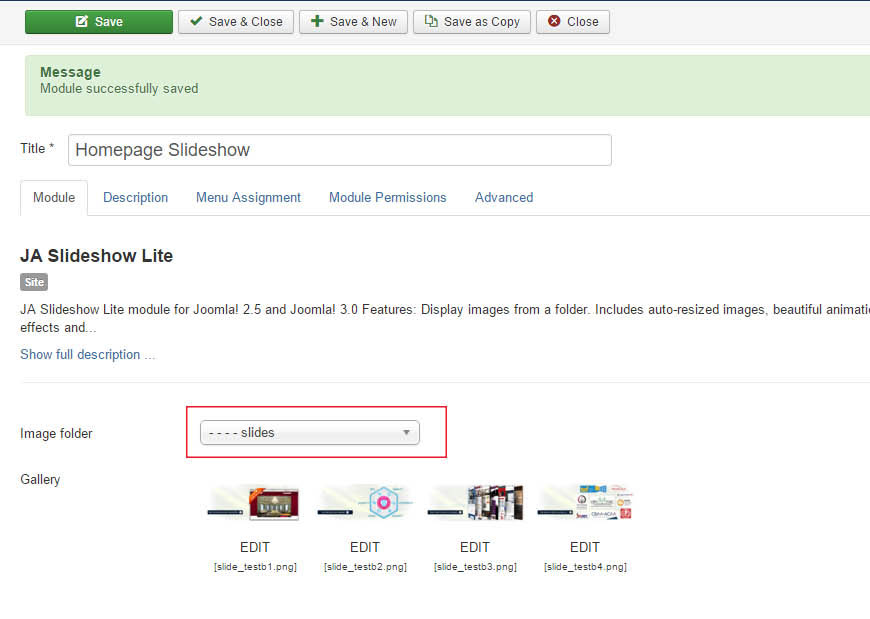
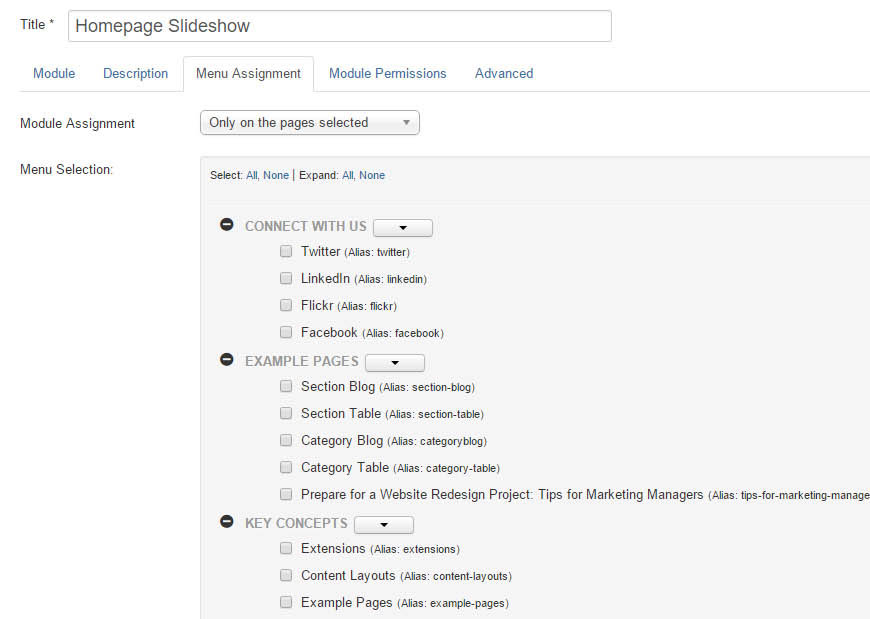
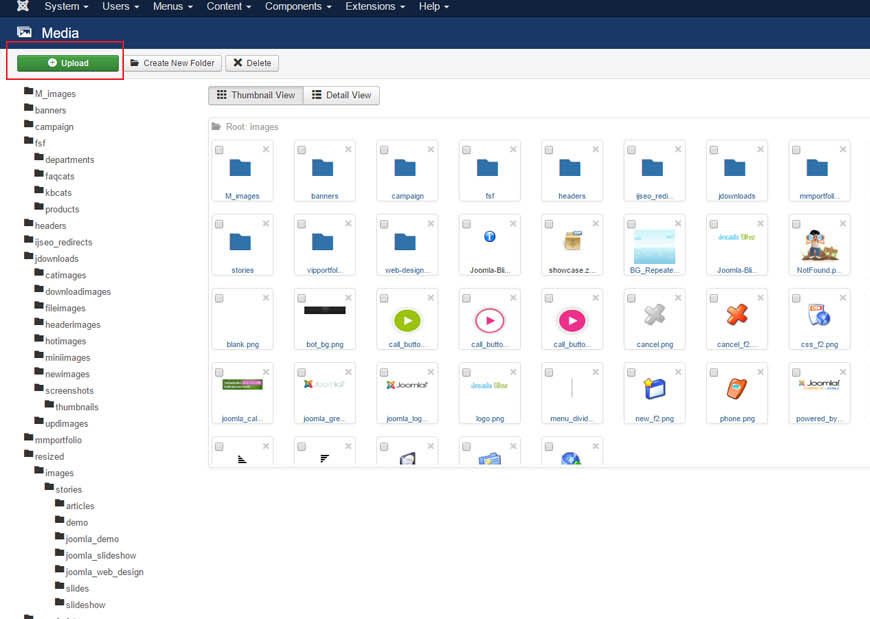
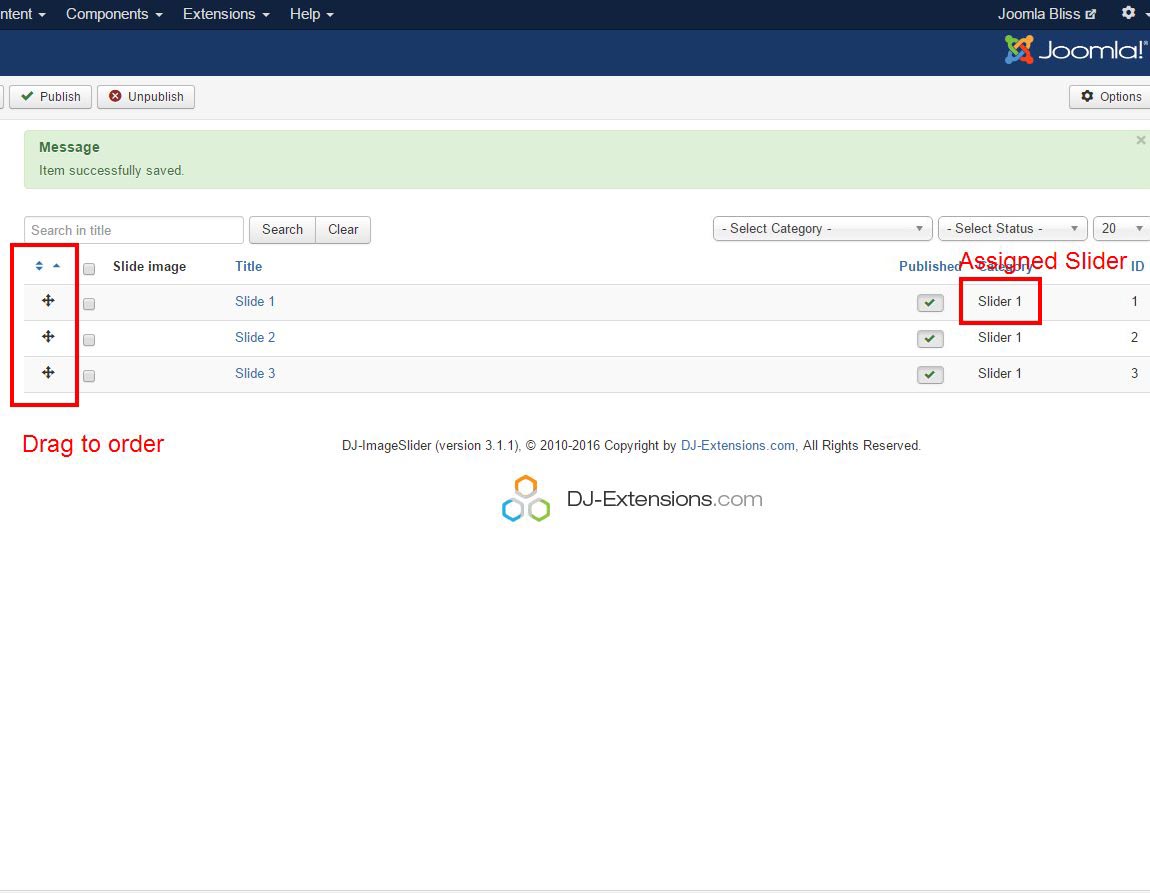
For example, you have a nice home page slider with rotating images. You can copy the slider module you are using on the homepage design, give it a different name, streamline different images into it and showcase it on other pages on your website. We will take this Slideshow module as an example:
More help manuals can be found at http://www.acyba.com/support/documentation.html
IMPORTANT:
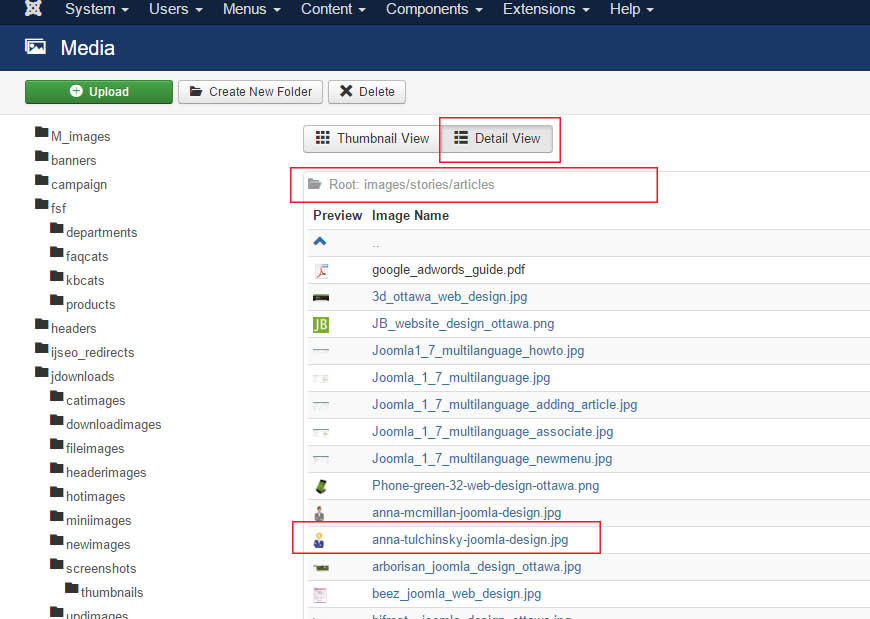
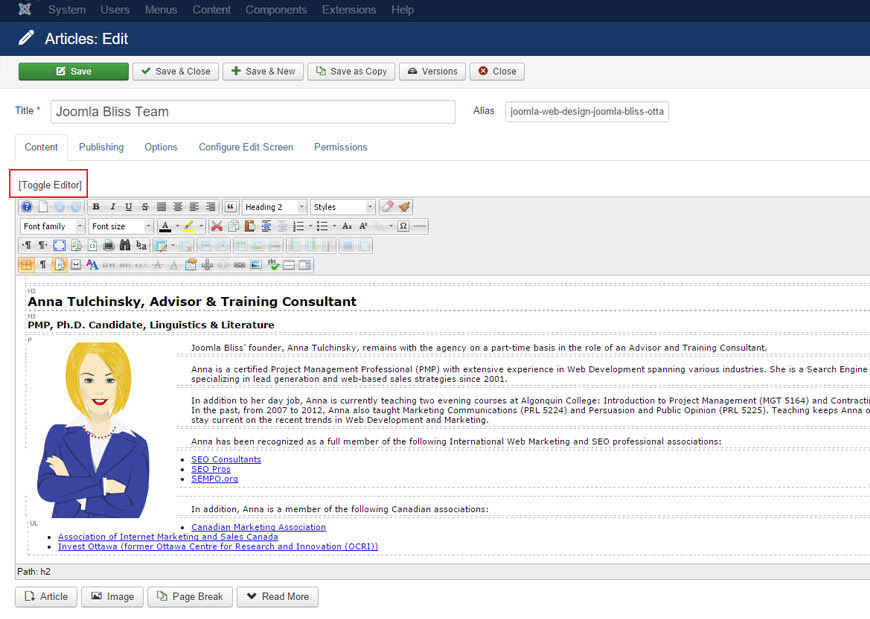
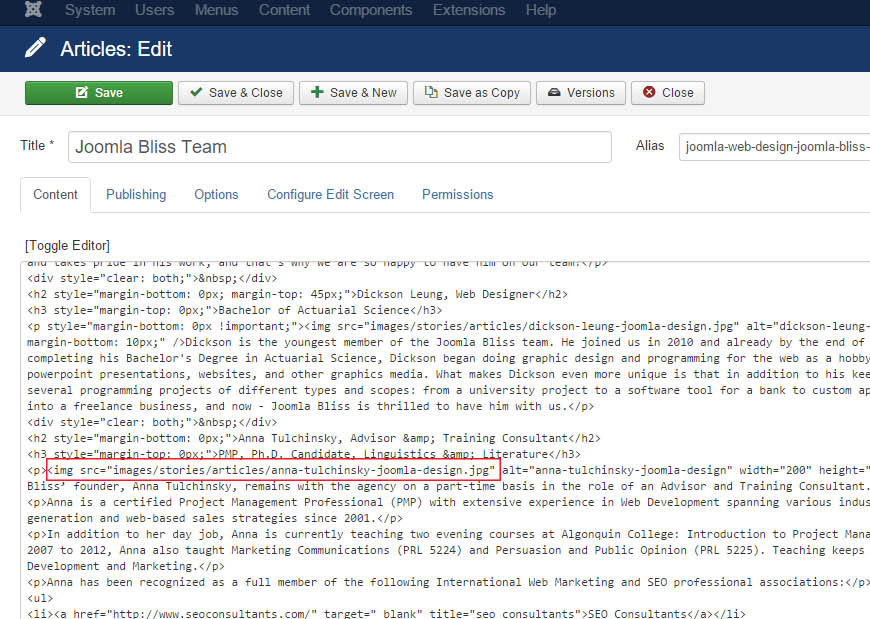
IMPORTANT: The most common errors with images not displaying are:
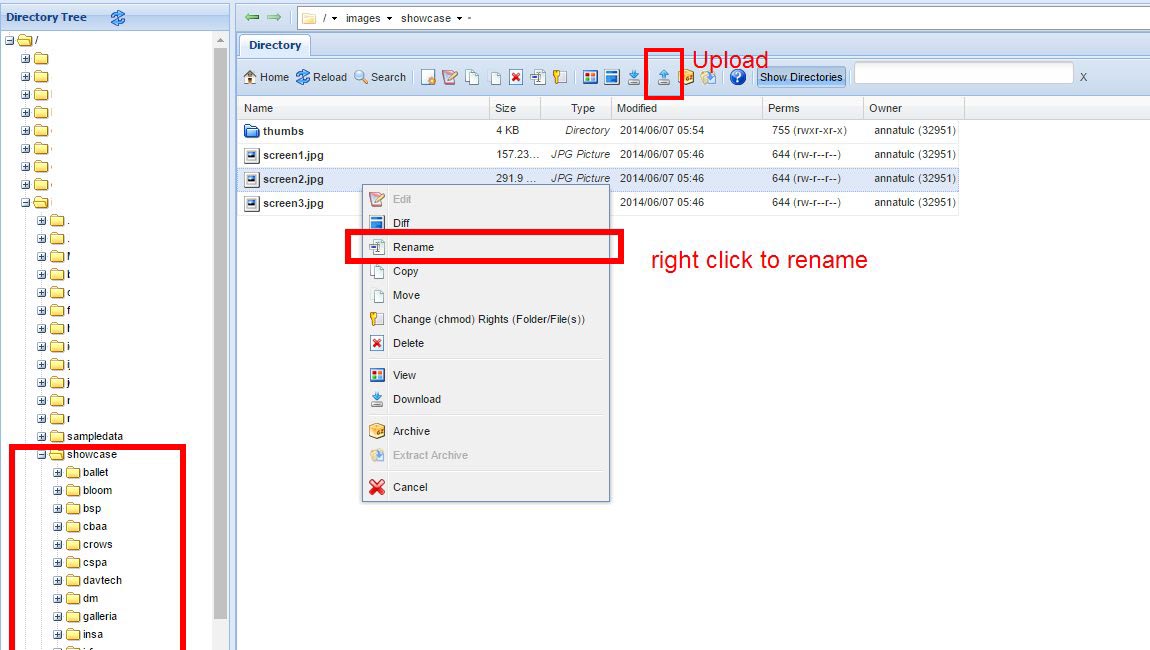
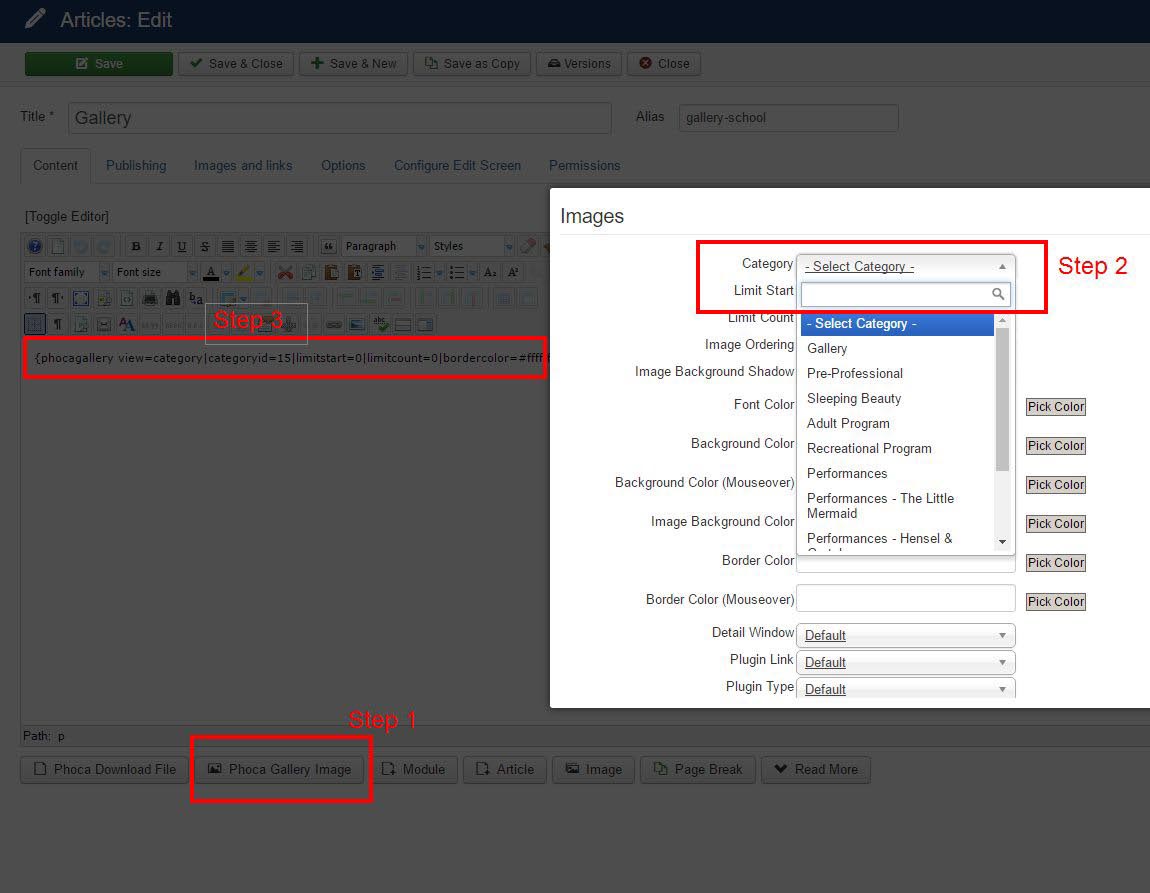
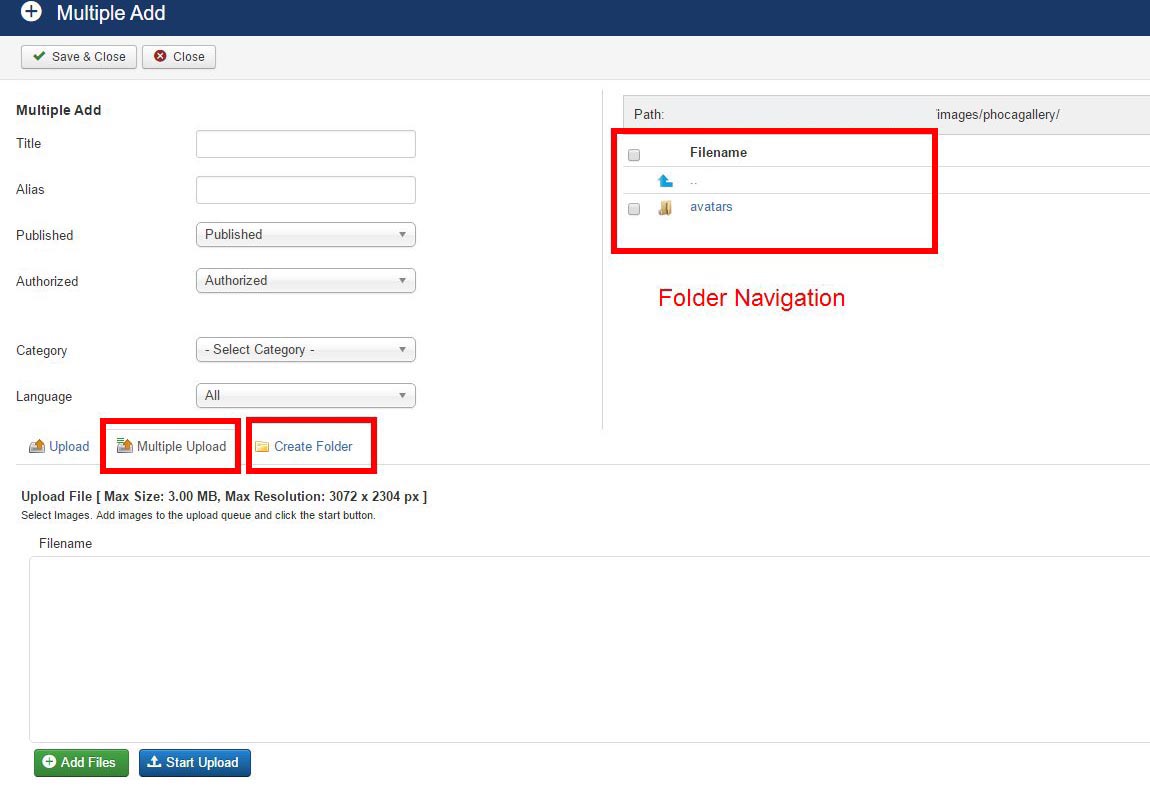 The concept is similar to section 3.6. While not a must, creating corresponding folders and putting your gallery images into each of them is a good practice. After you added the images and save, Phoca Gallery will try to generate thumbnails to all of them. You can also click 'regenerate thumbnails' in the images screen, should the need arise.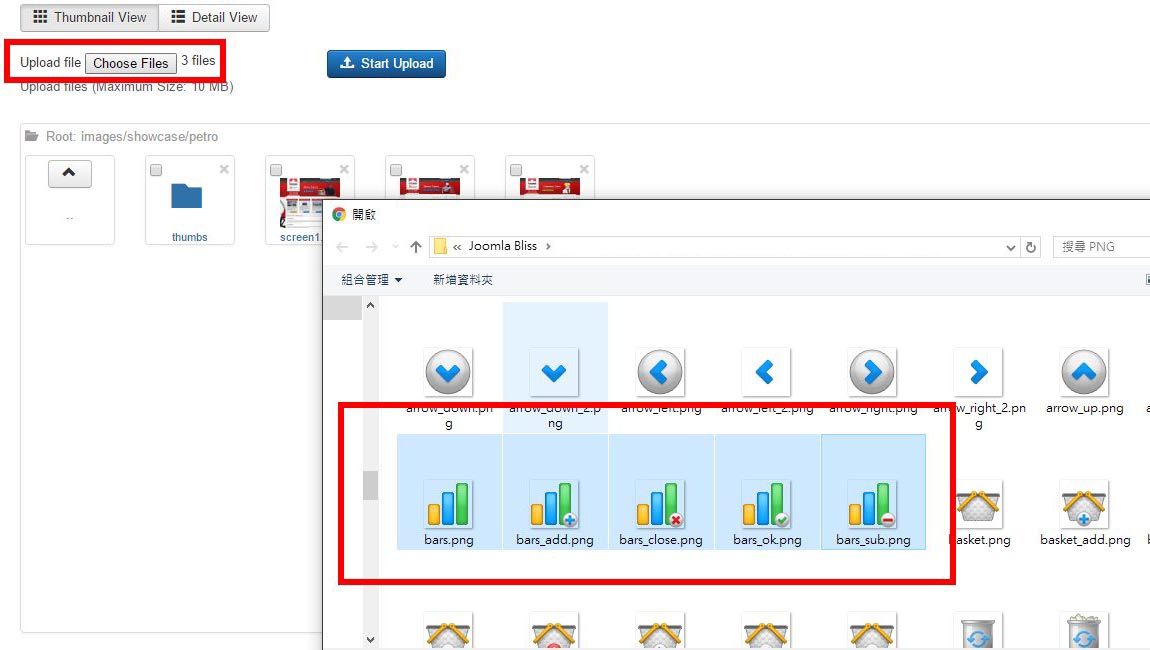
More documentation can be found on the developer website.
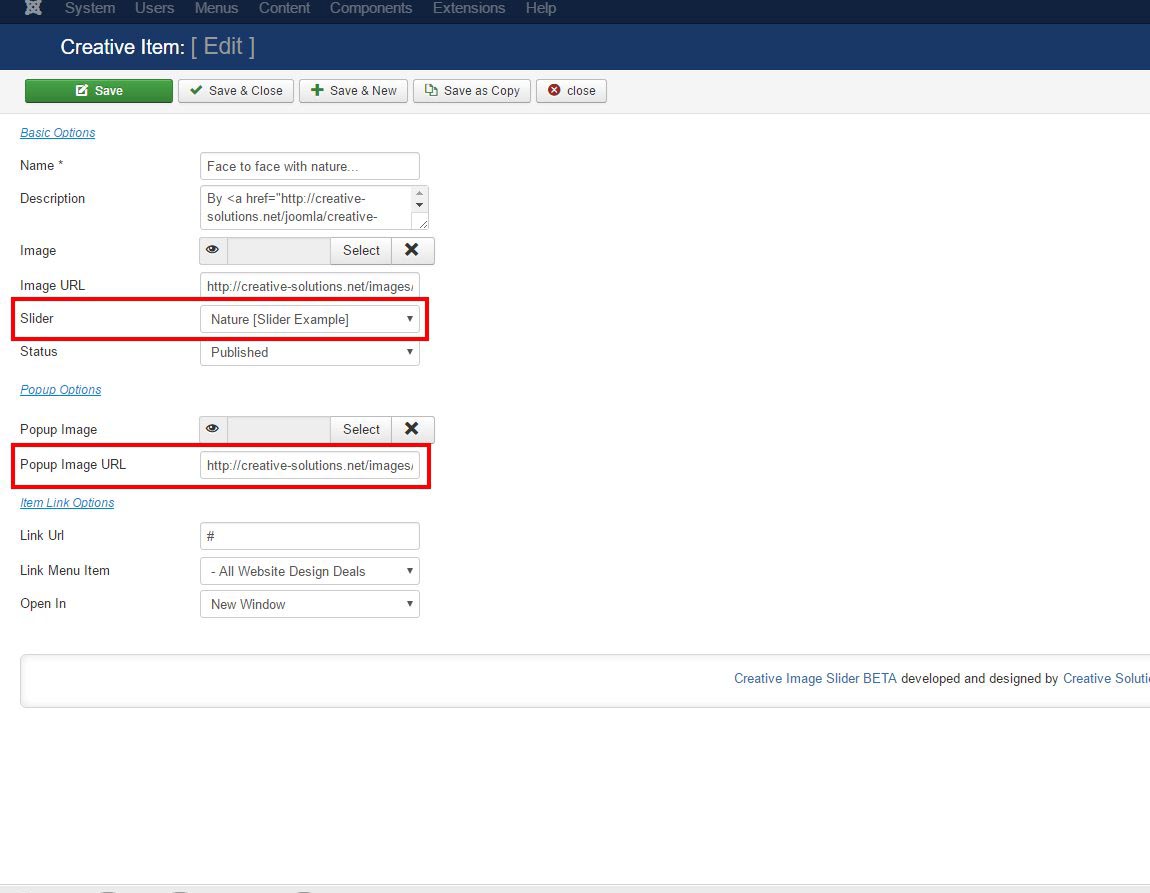
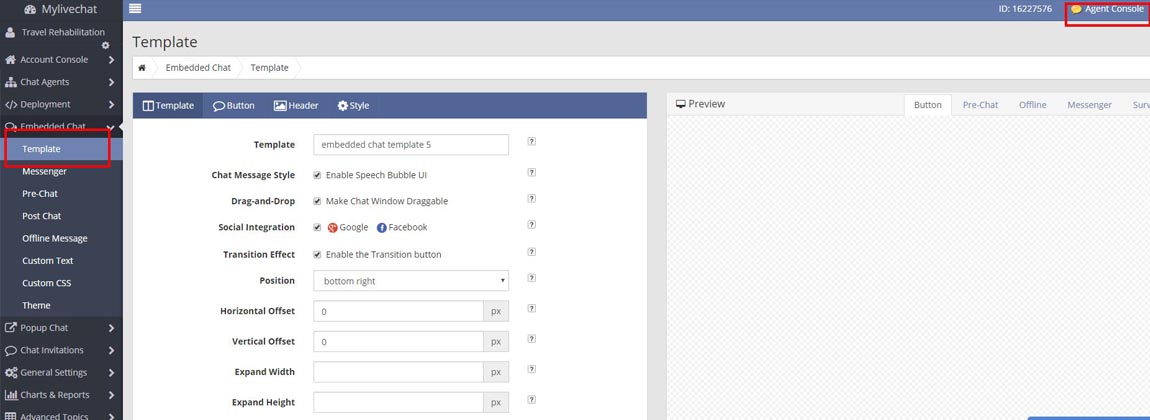
More documentation can be found on the developer website.
More documentation can be found on the developer website.
More documentation can be found on the developer website.
IMPORTANT: Use this component with caution. Do not change more than 10-15 meta sets per day. In our experience, after changing 100+ meta sets in one day, our ranking on Google dropped. There is no 100% proof that this was the factor in a dropped ranking but caution is advised. You can uninstall this component if not used. It is a commercial component, so a new version will require licensing fees.
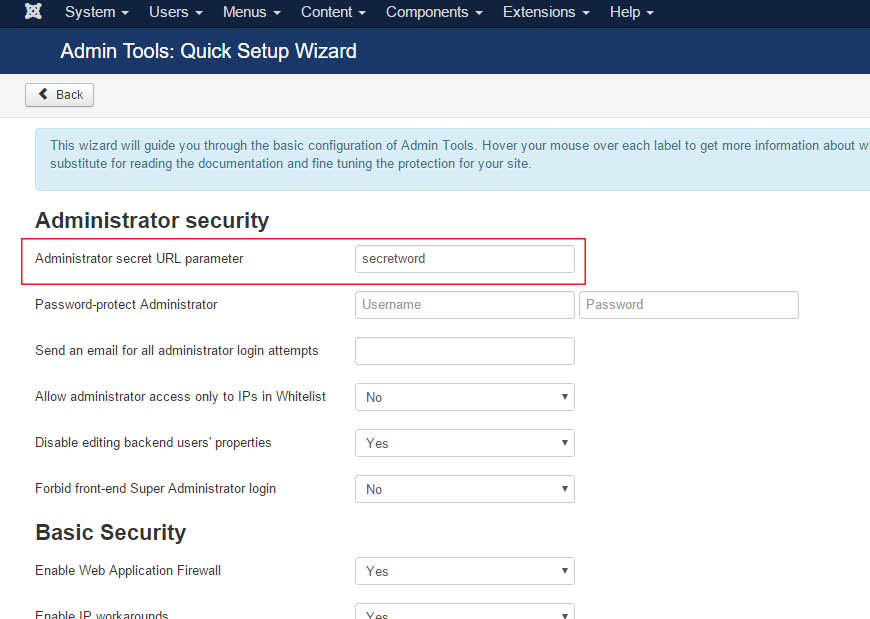
CAUTION: Make sure the new updates are compatible with your Joomla version. It is best not to update complex functional components independently unless you are a very technical person. However, simple components like Extplorer, JCE Editor (for article management) are generally safe to upgrade.
IMPORTANT: Upgrade from Joomla 2.5 to Joomla 3.x is a separate project. It cannot be performed independently. Further versions, i.e. after Joomla 3.0 can be upgraded with relative ease. But please do not click “upgrade” on the Joomla version by yourself. It can break the site and it can break 3rd party components that you maybe using for some of your site's functionalities, i.e. calendar of events, forum, etc.. If you decide to risk it, make sure to backup the site and save it offline on your hard drive first.
]]>And more....


